

Payment accounts
Add the bank accounts and QRIS codes your buyers pay to.
- Product
- SHOPFastrac Shop
- Section
- Your store
- Reading time
- 3 min read
Buyers pay you directly. Payment accounts tell them where: a bank account for transfers, or a QRIS code they scan. Buyers choose one of your accounts at checkout.
Who can do this
- The store owner.
Steps
Add a bank account
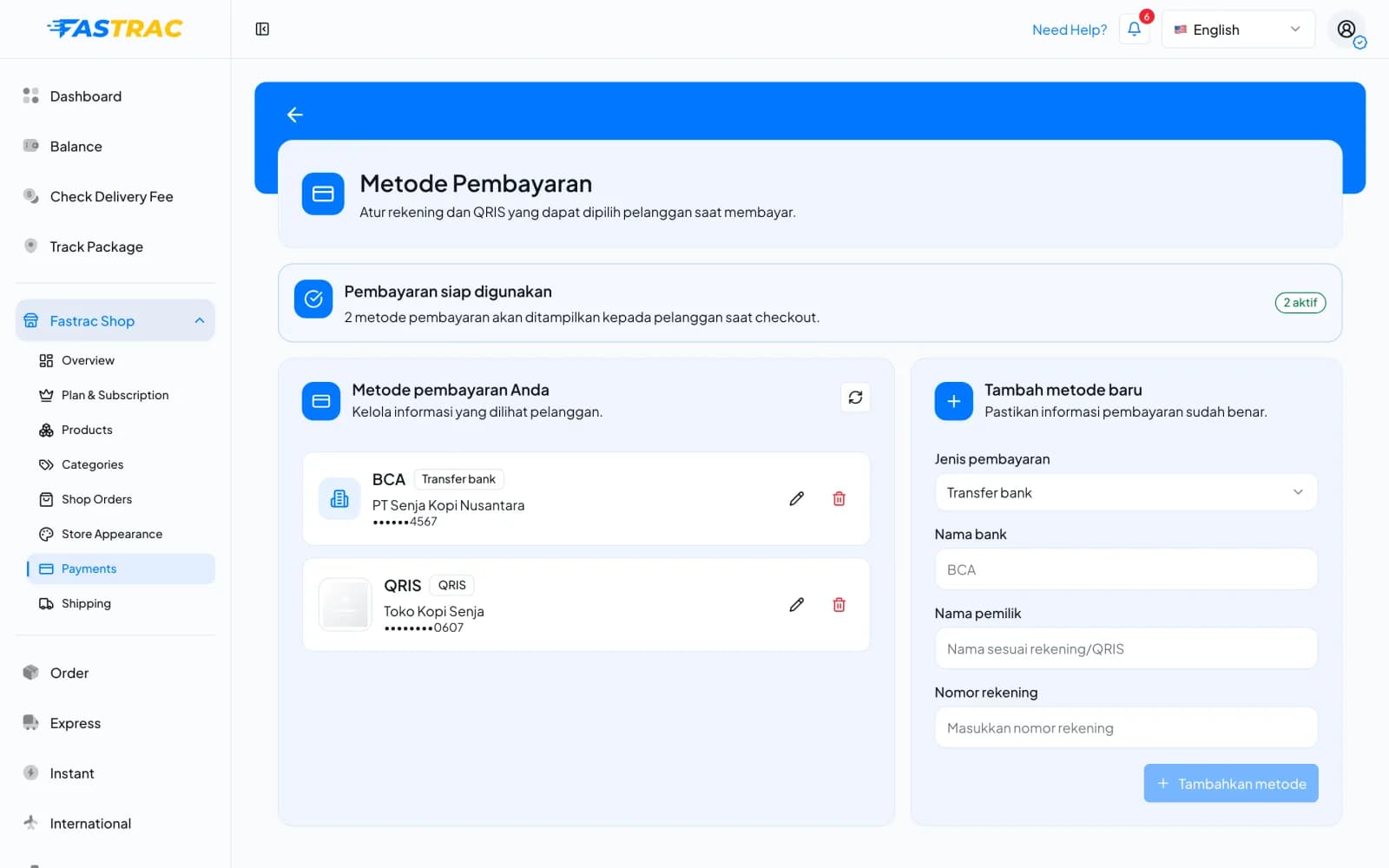
- Open Fastrac Shop › Payments (Metode Pembayaran). Metode pembayaran Anda lists the accounts buyers can choose; the banner at the top shows how many are active.
- Under Tambah metode baru (add new method), set Jenis pembayaran (payment type) to Transfer bank.
- Enter Nama bank (bank name), Nama pemilik (account holder name) and Nomor rekening (account number).
- Click Tambahkan metode (add method).
Add QRIS
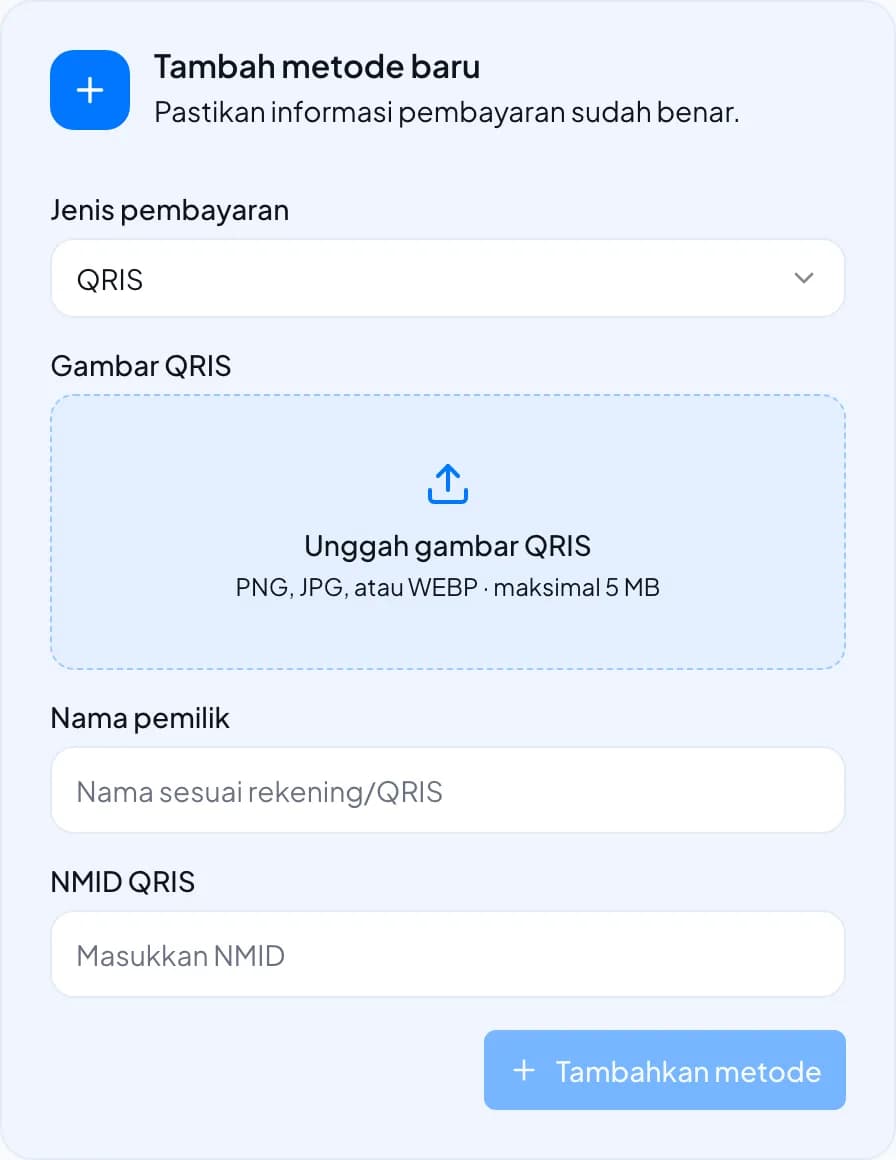
- Under Tambah metode baru, set Jenis pembayaran to QRIS.
- Under Gambar QRIS, click Unggah gambar QRIS and upload your QRIS image (PNG, JPG or WEBP, up to 5 MB).
- Enter Nama pemilik: the merchant name shown on your QRIS.
- Enter NMID QRIS: the National Merchant ID printed on your QRIS.
- Click Tambahkan metode. Buyers see the QR code on their order page.
Edit or remove an account
In Metode pembayaran Anda, click the pencil icon to change an account, or the trash icon to remove it. Removed accounts are no longer offered at checkout.
Requirements by type
| Type | Required | Not allowed |
|---|---|---|
| Bank transfer | Bank name, account holder name, account number | A QR image |
| QRIS | Account name, NMID, QR image uploaded in the dashboard | — |
Check the details carefully
Fastrac doesn't receive or check the buyer's payment. Wrong account details mean buyers pay the wrong account. Test with a small transfer to yourself if you're unsure.
FAQ
Yes. Buyers pick one at checkout.
The buyer confirms the payment on their order page and you get a notification. Then check your bank or QRIS app for the money before you confirm the payment.
Each order adds a small unique code (Rp 1 to Rp 500) to the total, so you can tell transfers apart. Match the exact amount in your bank statement.
Use a PNG, JPG or WEBP image of up to 5 MB, and upload it with Unggah gambar QRIS.
Was this page helpful?