

Profile and account deletion
Check your account details and verification status, or delete your account.
- Product
- APPFastrac App
- Section
- Account
- Reading time
- 3 min read
Your account details are under Settings in the dashboard. There you can check your profile and verification status, and delete your account.
Who can do this
Any signed-in user. You can only see and delete your own account.
Check your profile
Select Settings in the sidebar. It opens Account Settings, with your Profile Info:
| Item | What it tells you |
|---|---|
| Name and Email | Your contact details |
| Phone Number | Your WhatsApp number, with a Verified label once you verified it |
| Organization | The business organisation you belong to. Accounts without a verified business show Public Users. |
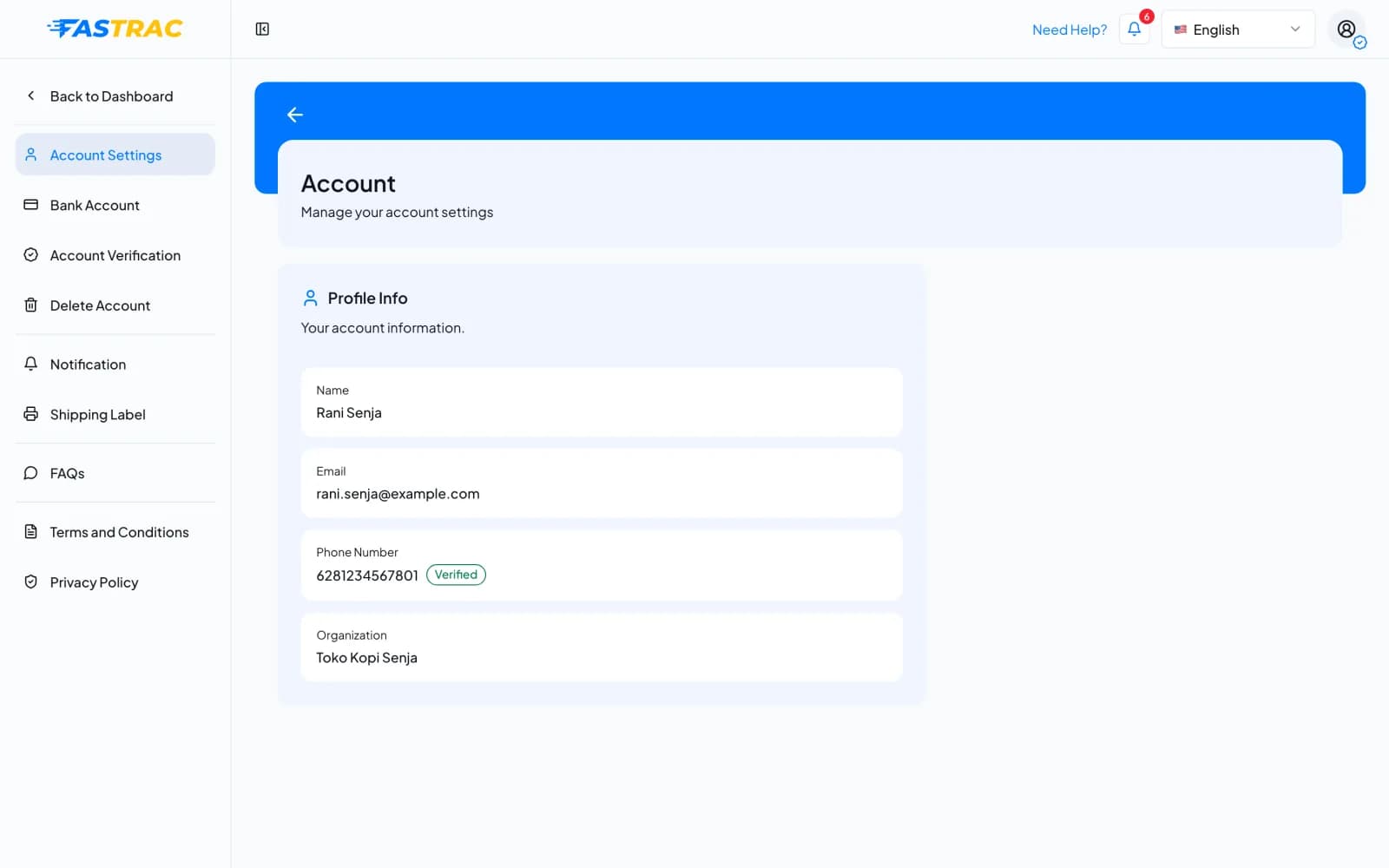
The status of your business verification is under Settings → Account Verification. The profile can't be edited in the dashboard.
Delete your account
Before you delete
- Withdraw your payout balance and finish or cancel open shipments first.
- If you are the Admin who created your organisation, talk to your team first: the organisation's API key acts as you.
- Open Settings → Delete Account. The page lists the data that will be removed.
- Under Re-type your email to verify, type the email address of your account.
- Under Reason for deleting your account, pick a reason. If you pick Other, write your reason (at least 10 characters).
- Select Delete My Account, then confirm with Yes, Delete Account.
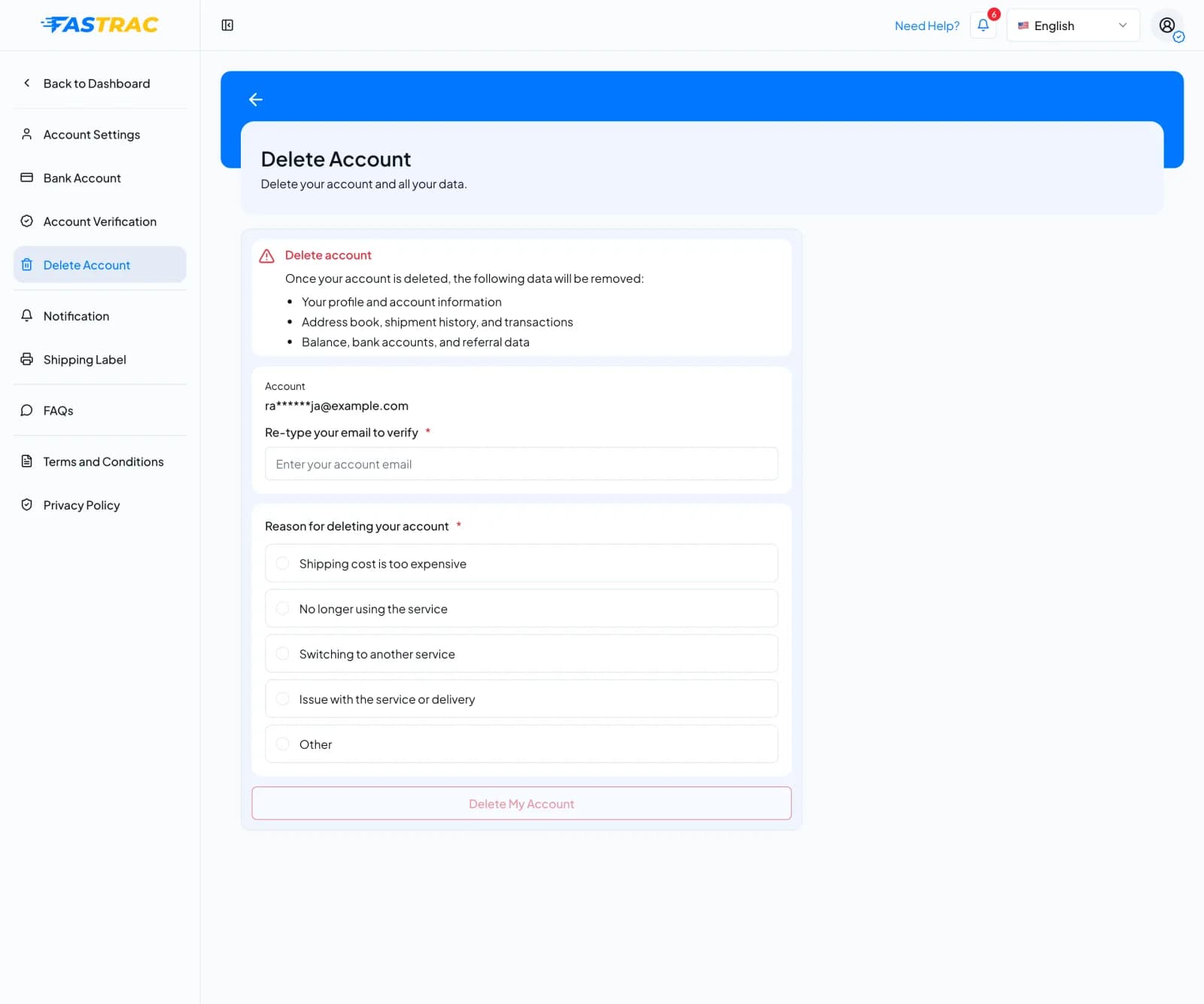
What happens next:
| When | What happens |
|---|---|
| Immediately | Your account is disabled and you are signed out on every device. You can't sign in any more. |
| Within 90 days | The deletion can still be reversed. Contact support if you changed your mind. |
| After 90 days | Your personal data is permanently anonymised. The account can't be restored. |
Fees and limits
| Item | Value |
|---|---|
| Cost | Free |
| Reason for deleting | One of the listed reasons, or your own text (10 to 500 characters) |
| Time before permanent deletion | 90 days |
FAQ
Contact support if any of your details are wrong. Your phone number is updated when you verify a WhatsApp number.
You haven't verified your WhatsApp number yet. Until you do, you can only check shipping rates. Verify your WhatsApp number to start shipping.
The email you typed must match your account's email exactly (upper and lower case don't matter). Check it and try again.
Contact support as soon as possible. Within 90 days the account can be restored.
Not while the deleted account is in its 90-day period. Ask support to restore your old account instead.
Was this page helpful?