

Track a shipment
Follow a shipment in the dashboard, or let the receiver track it without an account.
- Product
- APPFastrac App
- Section
- Shipping
- Reading time
- 4 min read
Track a shipment to see where it is and what happened so far. In the dashboard you find your shipments under Order and see their full history on Track Package. Your receiver can follow the parcel with the airway bill (resi) on the courier's website.
Who can do this
- You: any signed-in user who can view orders sees their own shipments.
- Your receiver: no Fastrac account needed. Share the airway bill; they can track it on the courier's website.
Steps
Find a shipment
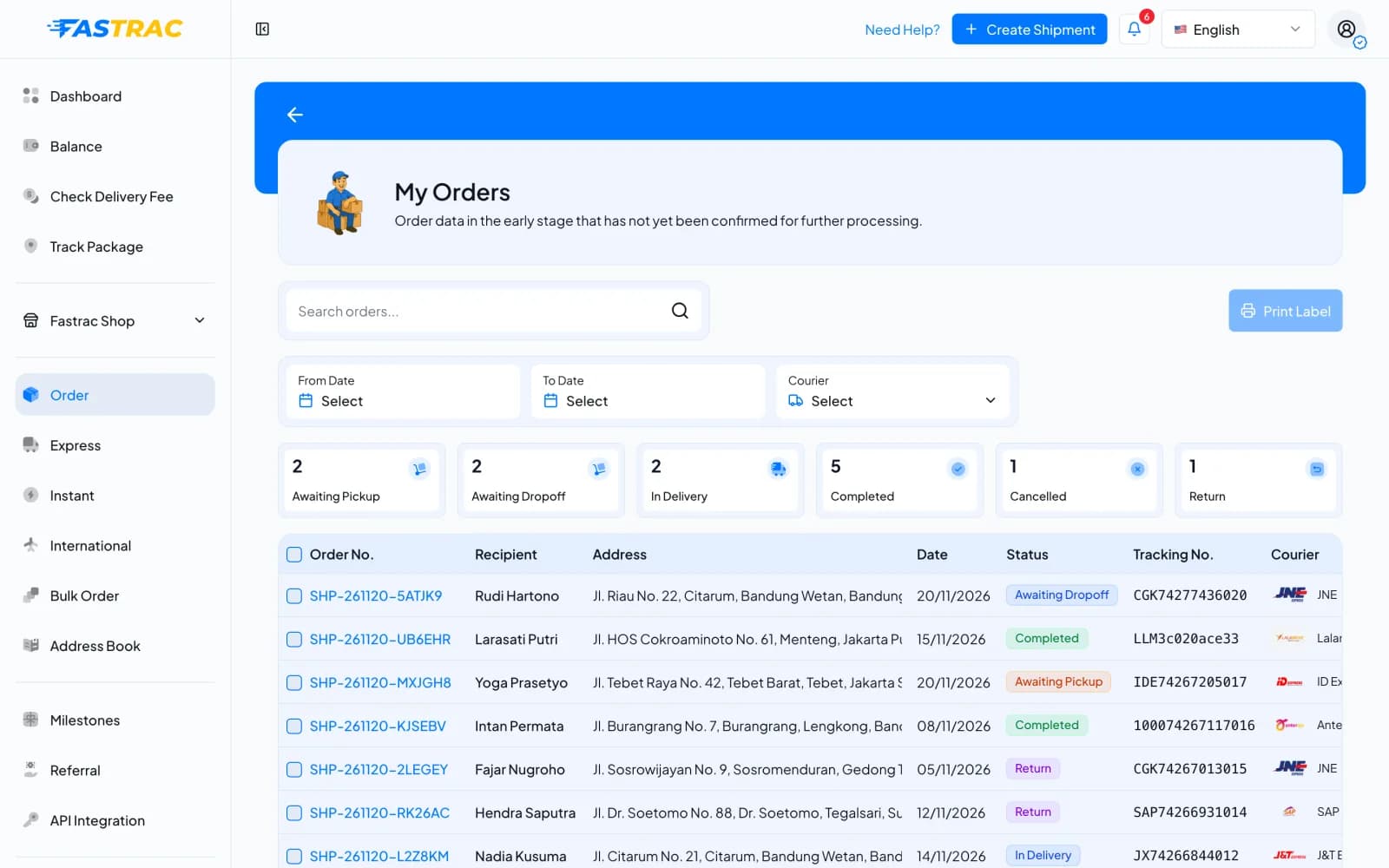
- Open Order in the sidebar. The My Orders page lists your shipments with the order number (
SHP-…), recipient, address, date, status, tracking number and courier. - Narrow the list: type in Search orders..., pick From Date and To Date, or choose a Courier. The cards at the top count shipments per status (Awaiting Pickup, Awaiting Dropoff, In Delivery, Completed, Cancelled, Return). More rows load with the button below the table.
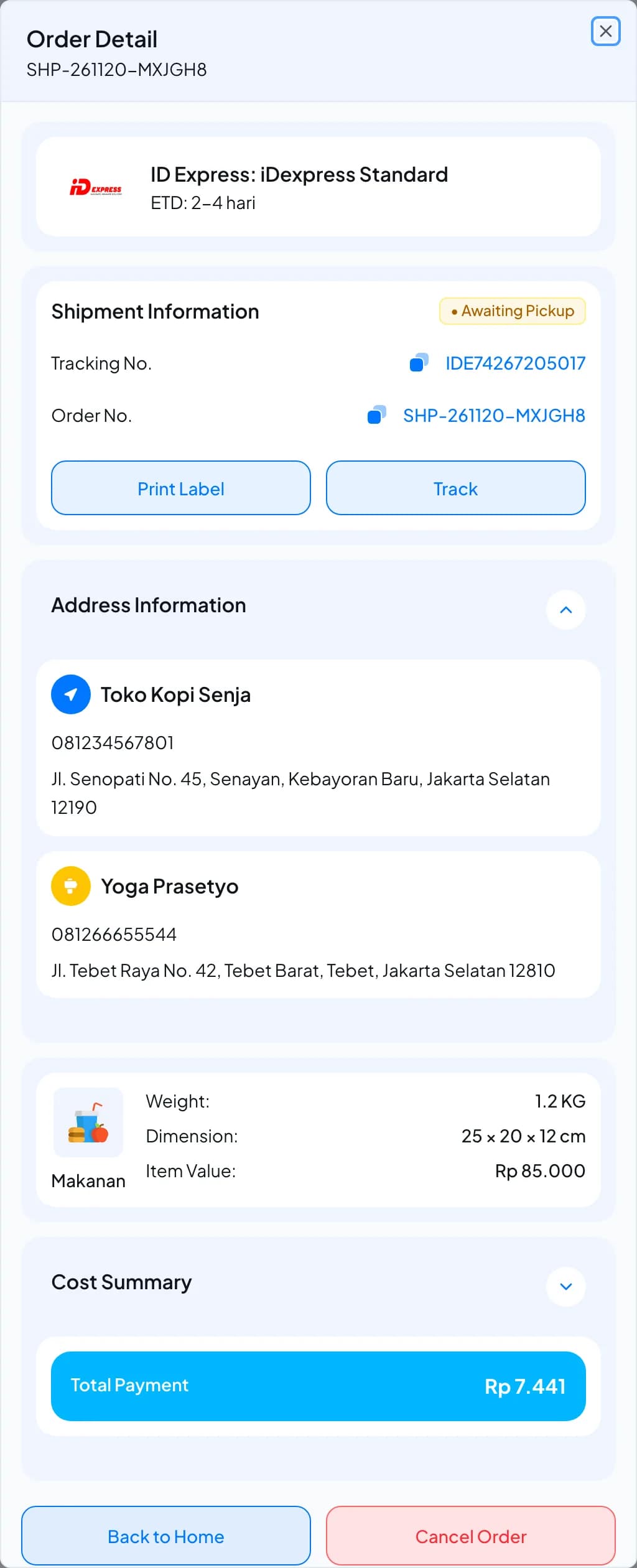
- Click an order number to open Order Detail: the courier and service, Shipment Information (status, Tracking No., Order No.), the sender and recipient, the parcel and the Cost Summary. From here you can Print Label or Track.
See the tracking history
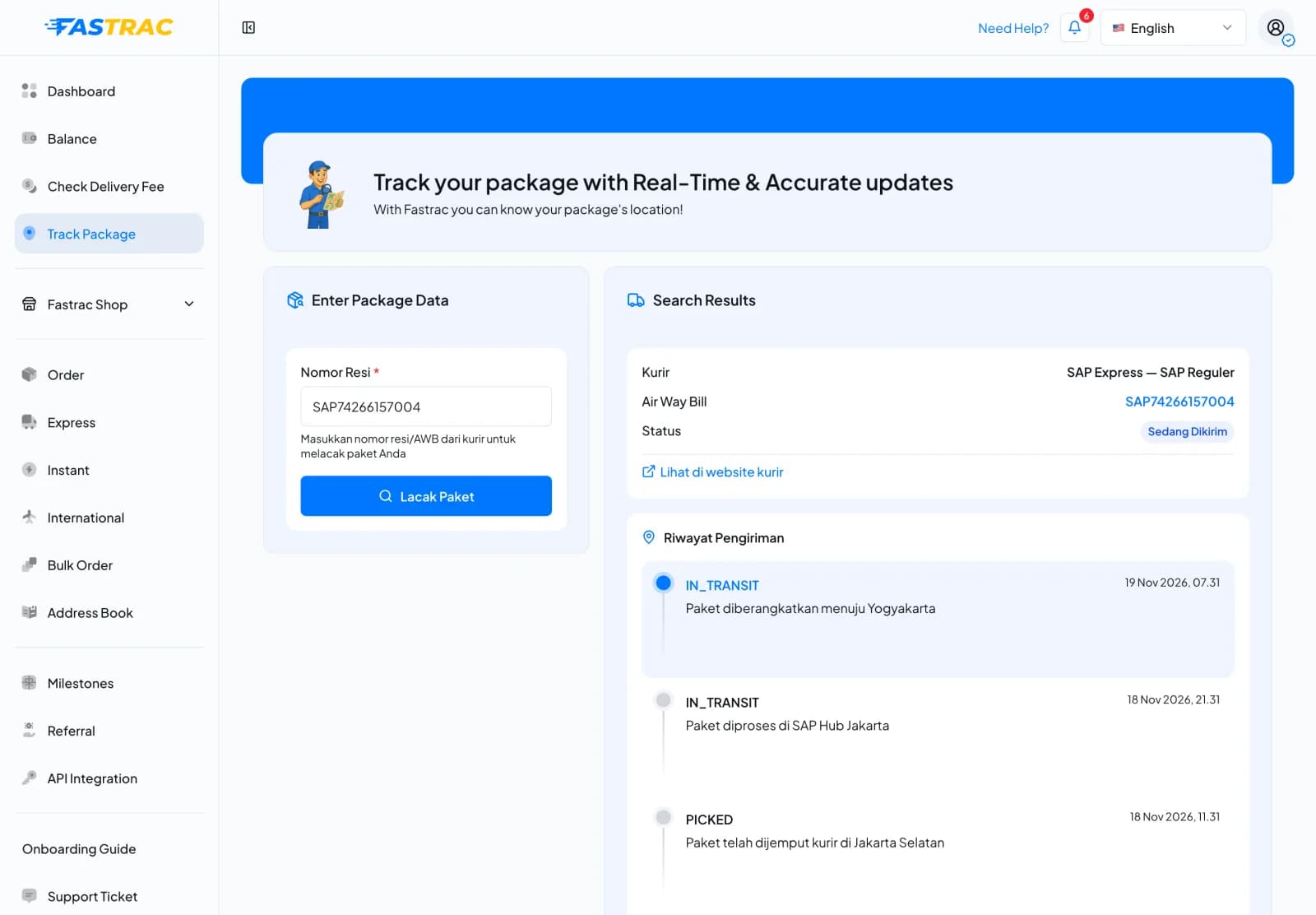
- Click Track in Order Detail, or open Track Package in the sidebar, enter the airway bill in Nomor Resi and click Lacak Paket.
- Search Results shows the courier and service, the airway bill and the current status. Riwayat Pengiriman (shipment history) lists every status update with its time and the courier's description, newest first.
- Click Lihat di website kurir to open the shipment on the courier's website.
Some labels are in Indonesian
On Track Package, the field and history labels (Nomor Resi, Lacak Paket, Riwayat Pengiriman) and the courier's descriptions are shown in Indonesian even when the dashboard is set to English.
Tracking starts after the courier is booked
A shipment can only be tracked once it has an airway bill. Before that, tracking says the shipment has not been dispatched yet.
How statuses are updated
Couriers send updates to Fastrac, and Fastrac also checks with couriers regularly. When you or your receiver open tracking, Fastrac asks the courier for the latest status. The history shows the courier's own descriptions, so wording differs between couriers. See Shipment statuses explained.
Limits
| Item | Detail |
|---|---|
| Track by | Airway bill (resi) on Track Package |
| Available from | When the courier has issued an airway bill |
| Driver details | Instant deliveries, once a driver is assigned |
FAQ
Check for typos. Track Package needs the airway bill (Tracking No. in Order Detail), not
the SHP-… order number.
Couriers update at their own pace, especially between hubs. If nothing changes for several days, contact support with the shipment code.
Yes. Use the airway bill on the courier's site, or click Lihat di website kurir on Track Package.
Yes. You get a notification when a shipment is delivered, cancelled or returned to sender.
Was this page helpful?