

API keys and webhooks
Find your API credentials and manage your webhook endpoint on the API Integration page.
- Product
- APPFastrac App
- Section
- Account
- Reading time
- 5 min read
If your developers connect your system to Fastrac, they need your API credentials and, to receive shipment updates, a webhook endpoint. Both live on one page in the dashboard: API Integration. This page covers the dashboard side. Developers can find the technical details in Get API credentials and Webhooks.
Who can do this
| Task | Who |
|---|---|
| See the API credentials | Admins, or a role with Read API keys |
| See the webhook endpoint | Admins, or a role with Read webhooks |
| Register or delete the webhook endpoint | Admins, or a role with Manage webhooks |
API credentials and webhooks are available only after your business verification is approved.
Open the API Integration page
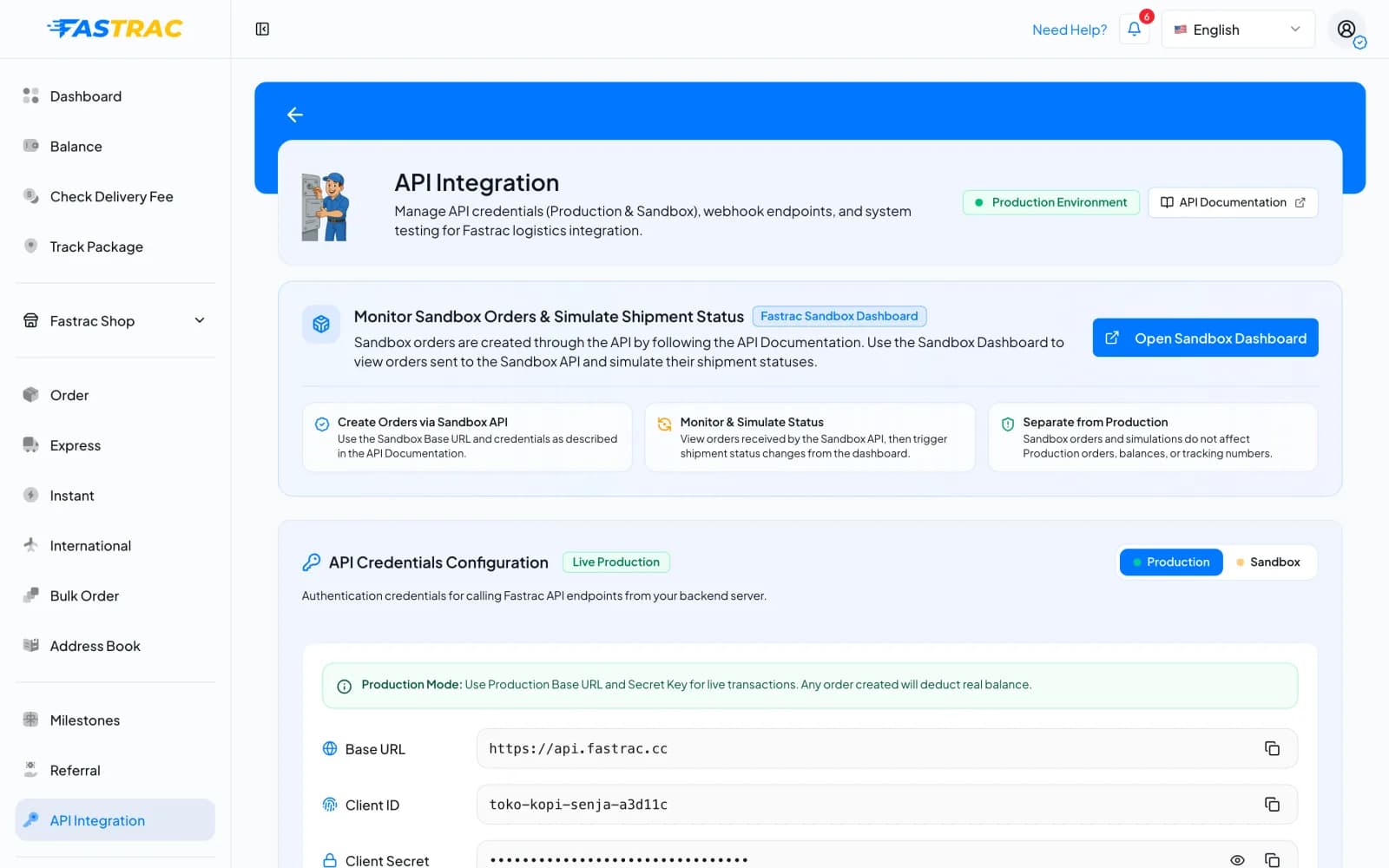
Select API Integration in the sidebar. The page has three parts: a link to the sandbox dashboard, API Credentials Configuration, and Webhook Configuration.
Your API credentials
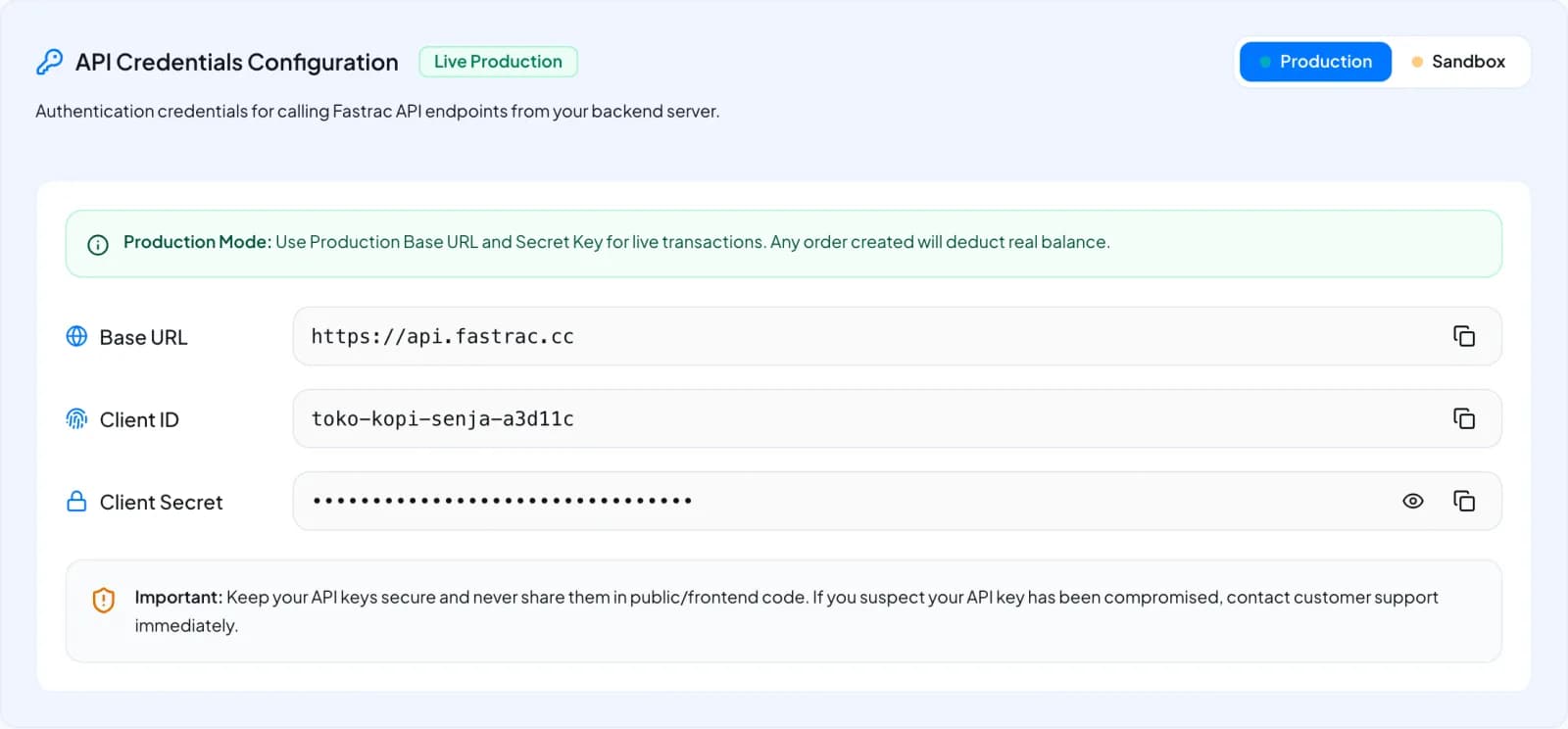
Fastrac issues one API key per organisation when your business verification is approved. Under API Credentials Configuration, switch between Production and Sandbox to see the values for each environment:
| Field | What it is |
|---|---|
| Base URL | The address your system calls for that environment |
| Client ID | A fixed name for your key. It is the same in production and sandbox and never changes. |
| Client Secret (Production) / Sandbox secret (Sandbox) | The password your system uses for that environment |
The secret is hidden. Select the eye icon to show it, or the copy icon to copy it, and pass it to your developers through a secure channel.
The key acts as the organisation owner: orders made through the API belong to the owner and are paid from the owner's balance.
Treat secrets like passwords
Anyone with your production secret can book shipments paid from your balance. Never send secrets in public chats or paste them into documents many people can open.
If a secret has leaked
The dashboard has no button to rotate (replace) your secrets. If you think a secret has leaked, or someone who knew it has left, contact support and ask for your API key to be rotated. The old secrets stop working as soon as the key is rotated, so agree a moment with your developers first.
Your webhook endpoint
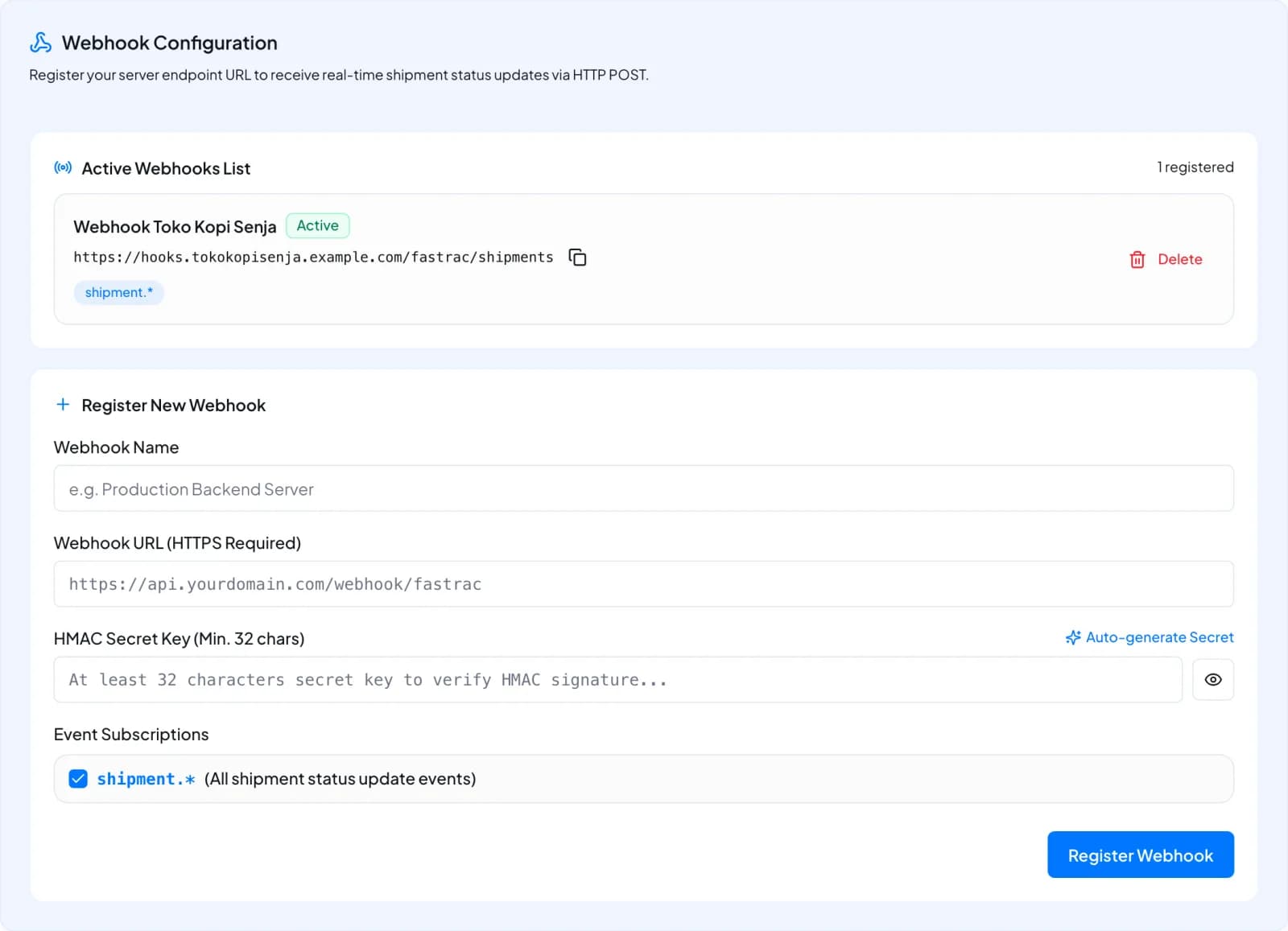
A webhook endpoint is a web address on your system where Fastrac sends a message every time a shipment changes, for example when it's picked up or delivered. Your organisation has one endpoint. It is shown under Webhook Configuration → Active Webhooks List, with an Active label when deliveries are on.
Register an endpoint
- On API Integration, scroll to Register New Webhook.
- Enter a Webhook Name and the Webhook URL (HTTPS Required) your developers gave you. It must start with
https://. - Enter an HMAC Secret Key of at least 32 characters, or select Auto-generate Secret. Your developers need this secret to check that messages really come from Fastrac, so copy it to them before you leave the page.
- Keep shipment.* ticked under Event Subscriptions. It sends every shipment status update.
- Select Register Webhook. Fastrac immediately sends a test request (a challenge) to the URL to check that it answers correctly.
Registering again replaces the current endpoint, including its secret, straight away. Coordinate with your developers before you do it.
Delete the endpoint
Select Delete next to the endpoint and confirm. Fastrac stops sending webhooks until you register an endpoint again.
What the dashboard doesn't show
The dashboard doesn't show the endpoint's verification status, the timeout or the number of delivery attempts, and it has no switch to pause deliveries. Your developers can check and change these through the API. See Webhooks.
Fees and limits
| Item | Value |
|---|---|
| Cost | Free |
| API keys per organisation | One |
| Webhook endpoints per organisation | One |
| Webhook secret | At least 32 characters |
| Event subscriptions in the dashboard | shipment.* (all shipment events) |
FAQ
Your business verification may not be approved yet. If it is approved and you still see no key, contact support.
Each organisation has one key. Contact support or your account manager if you need more.
The sandbox secret could not be set up for your key. Contact support to have it issued.
Fastrac may not have been able to reach your URL, or the URL didn't answer the challenge correctly. Share the webhook guide with your developers, then register the endpoint again.
Only if your system needs to know about shipment changes automatically. If you use only the dashboard, you don't need a webhook.
Was this page helpful?