

Address book
Save the addresses you ship from and to, and choose your default address.
- Product
- APPFastrac App
- Section
- Shipping
- Reading time
- 3 min read
Save addresses you use often so you don't type them again for every shipment. One address is your primary (default) address.
Who can do this
- Any signed-in user whose role allows managing the address book.
- Your address book is personal. Other members of your organisation don't see it.
Steps
Add an address
- Open Address Book in the sidebar. The cards show each saved address; the counter (for example 4/20 Address Book) shows how many you have. Use Search address to find one.
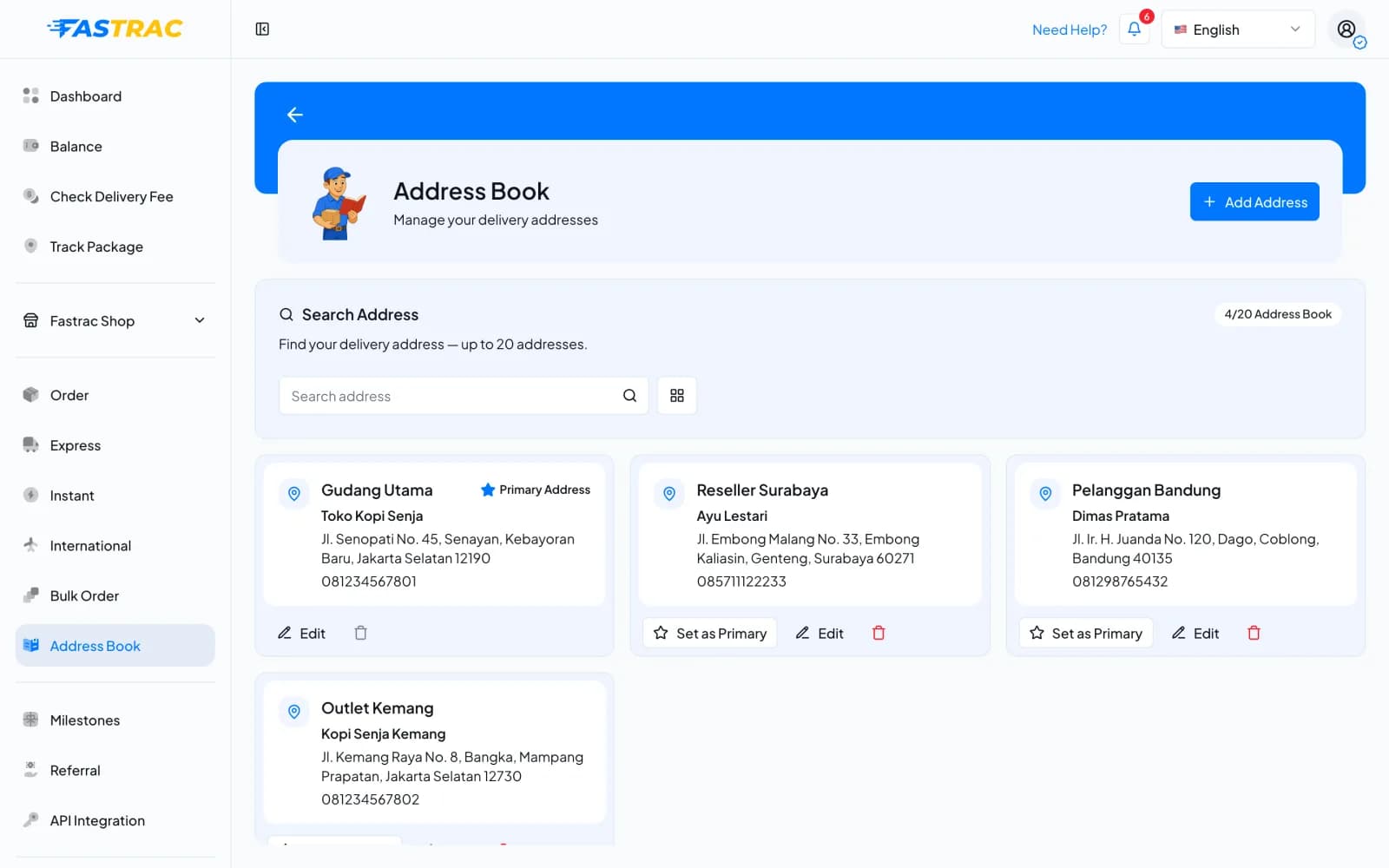
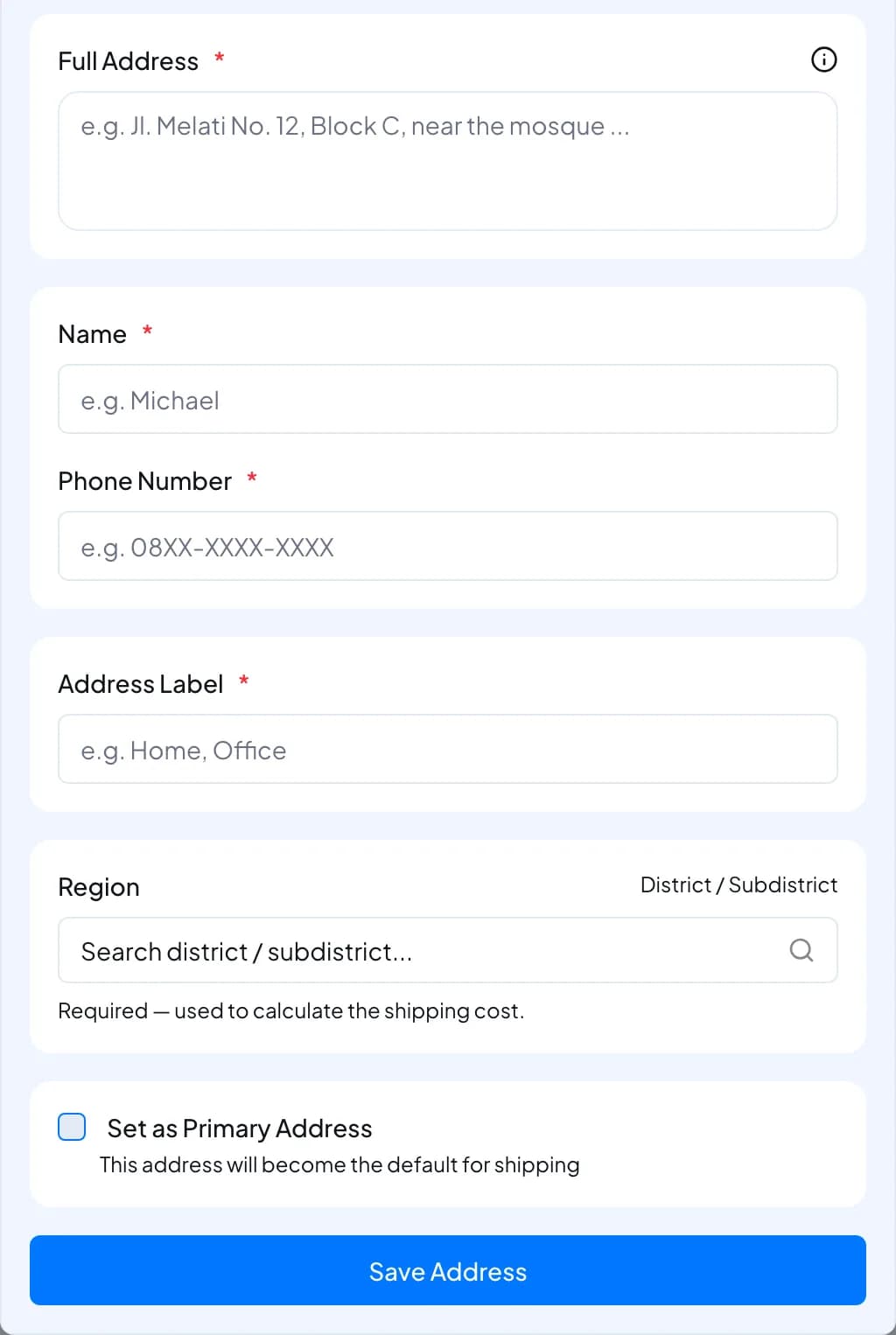
- Click Add Address. In Add New Address:
- Search for the address, or click Pick From Map to pin the exact location. Instant couriers and regular pickups need the pinned location.
- Fill in Full Address, Name, Phone Number and Address Label (for example "Warehouse" or "Home").
- Under Region, search for the district or subdistrict and pick it. The postal code comes with it.
- Tick Set as Primary Address to make it your default sender address.
- Click Save Address.
Change the primary address
On the address you want, click Set as Primary. The previous primary address stops being the default. The primary address is filled in as the Sender when you create a shipment.
Edit or delete an address
- On the address card, click Edit to change it, or the trash icon to delete it.
- You can't delete the primary address. Make another address primary first.
Limits
| Item | Limit |
|---|---|
| Saved addresses | Up to 20 per user |
| Name and label | 2–150 characters each |
| Full address | At least 5 characters |
| Phone number | Required in the dashboard; 6–20 characters: digits, spaces, +, -, (, ) |
| Postal code | Up to 10 characters |
| Primary address | Exactly one; your first address becomes primary automatically |
FAQ
You have 20 saved addresses. Delete one you no longer use, then add the new one.
The regions must belong to each other: the city must be in the province, the district in the city, and the subdistrict in the district. Pick them again from the top down.
Instant couriers price by distance, and couriers need the exact point to pick up a parcel. An address without a location can still be used for drop-off shipments.
No. Address books are per user. Each member keeps their own.
Was this page helpful?