

Bank accounts
See the bank account your withdrawals are paid to, and how to change it.
- Product
- APPFastrac App
- Section
- Money
- Reading time
- 2 min read
Your withdrawals are paid to a verified bank account. In the dashboard, that account comes from your business verification (KYC): the bank details you entered in the Bank Information step are saved when your application is approved.
Who can do this
- Users whose business verification is approved. Before that, the page shows No bank account yet and a Start Verification button, or a notice that your account is being reviewed.
- Bank accounts are personal. Other members of your organisation can't see or use yours.
See your bank accounts
Open Settings → Bank Account. Under Your Accounts you see each saved account with its bank, account number, holder name and a Verified label.
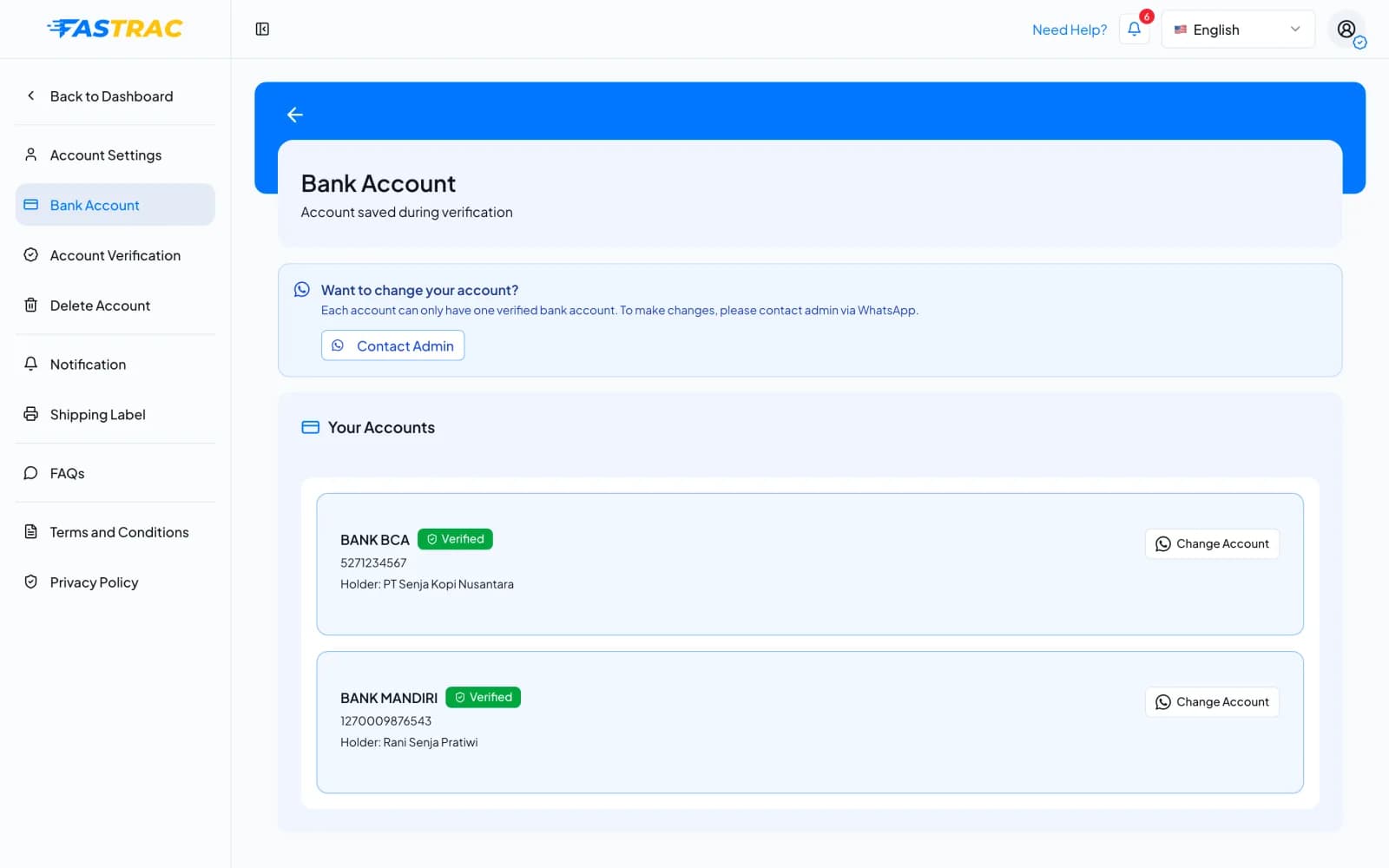
When you withdraw, the Withdraw window shows the account the money goes to. It is your active account, or the first saved account if none is marked active.
Change your bank account
You can't add or edit bank accounts yourself in the dashboard. Changes go through the Fastrac team:
- Open Settings → Bank Account.
- Select Contact Admin (or Change Account next to an account).
- Confirm with Yes, Contact Admin. WhatsApp opens with a message to the team about your bank change.
- Send the new account details the team asks for. Have the bank name, account number and account holder name ready.
Double-check the details
Fastrac sends withdrawals to the account on file. Make sure the number and the holder name you give the team are correct.
A withdrawal that is already pending keeps the bank account it was requested with.
Fees and limits
| Item | Value |
|---|---|
| Cost | Free |
| Where accounts come from | Your business verification, or a change made by the Fastrac team |
| Changing an account | Through Contact Admin (WhatsApp) |
FAQ
That's expected. Bank accounts come from your business verification. To change or add one, select Contact Admin.
Complete your business verification. Your bank account is added when the application is approved.
Select Contact Admin and send the correct details. Don't request a withdrawal until the account is fixed.
The one shown in the Withdraw window under Bank Account. Check it before you confirm.
Was this page helpful?