

Move payout balance to shipping credit
Use your earnings, such as COD proceeds, to pay for shipping.
- Product
- APPFastrac App
- Section
- Money
- Reading time
- 2 min read
Instead of withdrawing your payout balance (Saldo Penghasilan) and topping up again, you can move it straight into your shipping credit (Saldo Ongkir). The transfer is instant and free.
Who can do this
Any signed-in user with money in their payout balance. You can only move money between your own pockets.
Steps
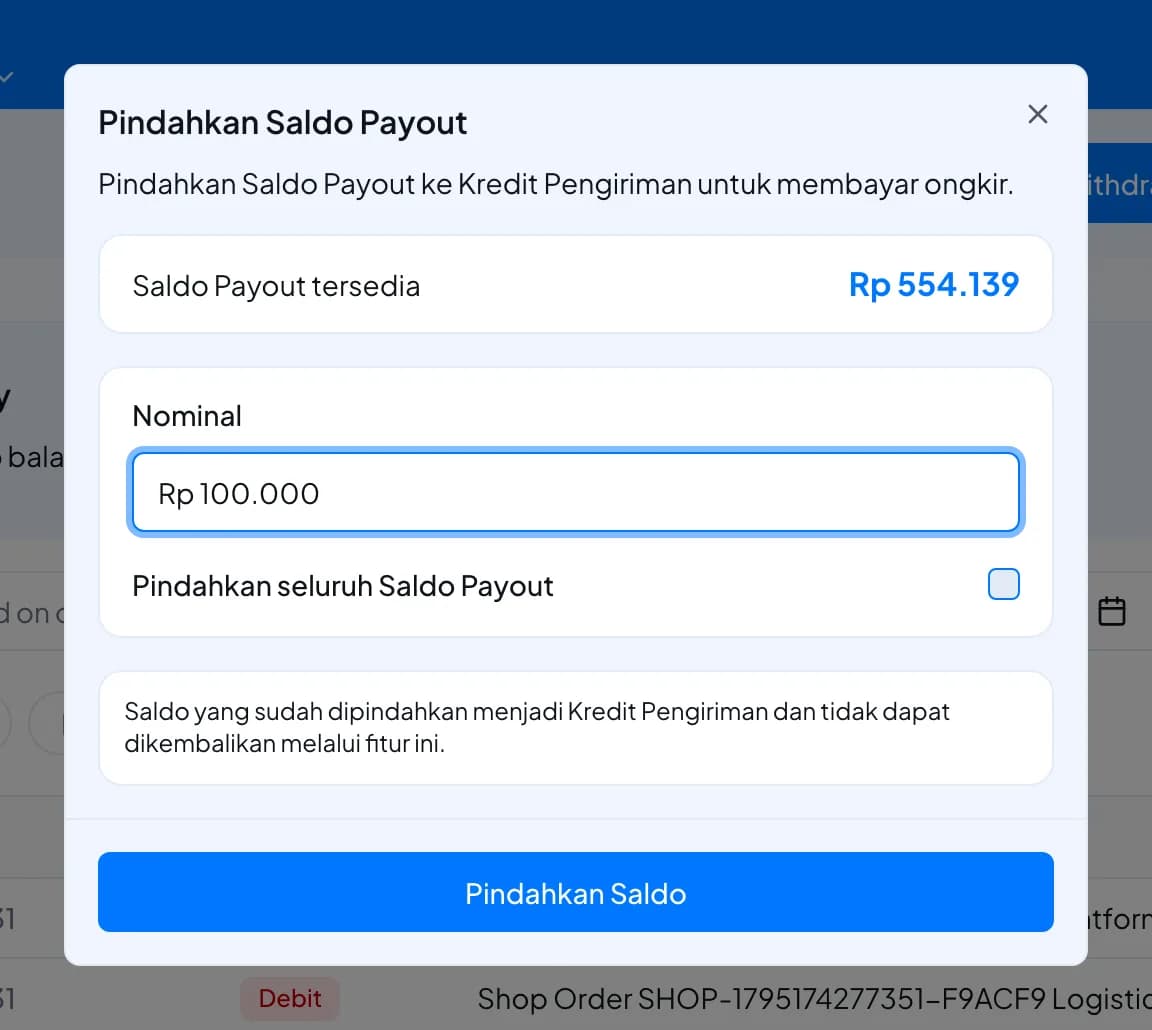
- Open Balance and select Pindahkan ("move"). The Pindahkan Saldo Payout window opens. Its labels are in Indonesian in both languages: Saldo Payout is your payout balance and Kredit Pengiriman is your shipping credit.
- Saldo Payout tersedia shows how much you can move. Enter the amount under Nominal, or tick Pindahkan seluruh Saldo Payout to move everything.
- Select Pindahkan Saldo. The amount leaves your payout balance and arrives in your shipping credit immediately.
Your balance history shows two entries: a debit from the payout balance and a credit to shipping credit, for the same amount.
Fees and limits
| Item | Value |
|---|---|
| Fee | None |
| Minimum | More than Rp 0 |
| Maximum | Your whole payout balance |
| Speed | Immediate |
| Direction | Payout balance → shipping credit only |
FAQ
No. The transfer only works one way. Shipping credit can only be spent on shipping.
You can move at most what is in your payout balance. Check the amount under Balance.
Either works. You can pay for an order with your payout balance directly. Transferring helps when you want all your shipping money in one place, or when one pocket alone isn't enough for an order.
First move it to your payout balance, then move it to shipping credit.
Was this page helpful?