

Verify your WhatsApp number
Confirm your phone number over WhatsApp to start booking shipments.
- Product
- APPFastrac App
- Section
- Account
- Reading time
- 3 min read
Verify your WhatsApp number by sending a prefilled message from that number to Fastrac. It takes about a minute, and it unlocks booking and paying for shipments.
Who can do this
- Any signed-in user with a verified email.
- You need WhatsApp installed on the phone whose number you are verifying.
- The number must not belong to another Fastrac account.
Steps
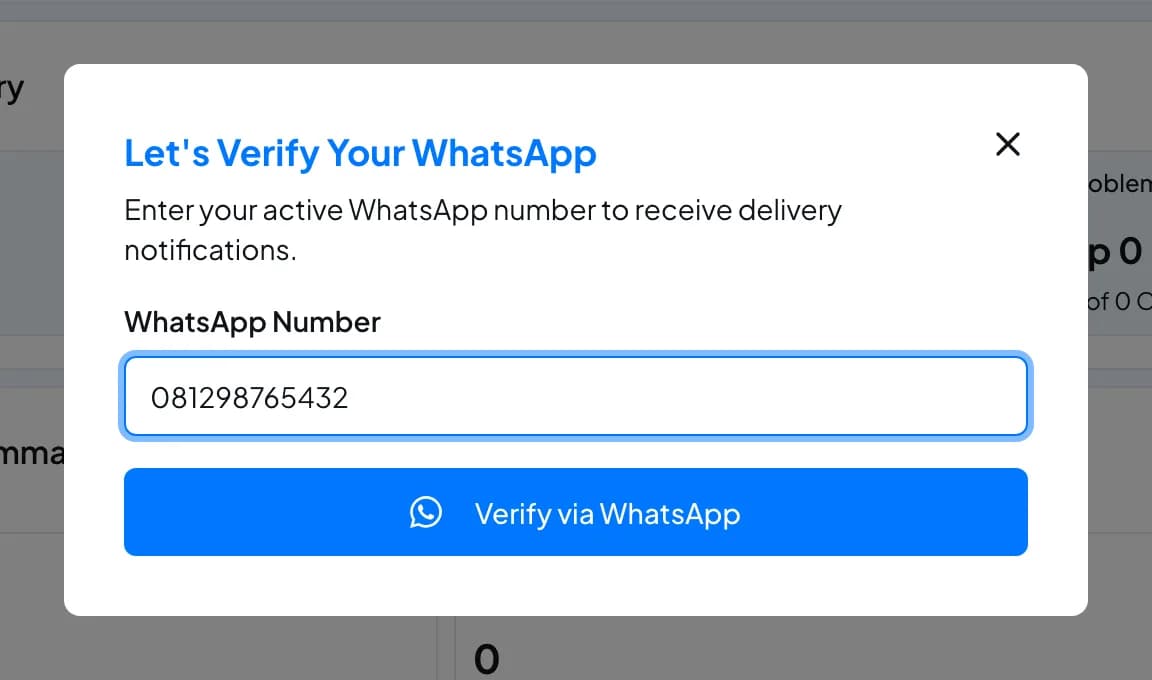
- Sign in to the dashboard. Until your number is verified, the dashboard asks you to verify it: in the Welcome to Fastrac! window select Start WhatsApp Verification, or use the Oops, Your Phone Number Isn't Verified Yet window that appears on pages that need a verified number.
- Enter your number under WhatsApp Number.
08…,628…and+628…formats all work. - Select Verify via WhatsApp. WhatsApp opens with a message already written, addressed to Shipping Engine's WhatsApp number. The message contains a date and a verification code.
- Send the message without changing it, from the same number you entered, before the Valid for timer runs out. If WhatsApp didn't open, select Open WhatsApp.
- Return to the dashboard and select I've sent it. When the message is received you see Verification Successful.
Typed the wrong number? Select Wrong number? Change number and start again.
Don't edit the message
The verification code in the message is checked exactly. If you change the text, send it from a different number, or send it after 90 seconds, verification fails. Start again to get a new code.
Statuses
| Status | Meaning | What to do |
|---|---|---|
| Waiting (initiated) | A code was created and we are waiting for your message | Send the message within 90 seconds |
| Verified | Your number is confirmed | Nothing. You can now book shipments |
| Expired | The message arrived after 90 seconds, or never arrived. The dashboard shows Verification Session Expired. | Select Verify Again |
| Failed | The message didn't match, came from another number, or the number is used by another account | Check the number and start again |
What verification unlocks
When your WhatsApp number is verified, your account is upgraded to a verified account. You can then:
- book and pay for shipments (non-COD);
- see your order history;
- save addresses in your address book.
Top-ups, withdrawals and cash on delivery (COD) in the dashboard also need an approved business verification (KYC).
Fees and limits
| Item | Value |
|---|---|
| Cost | Free (standard WhatsApp data charges may apply) |
| Time to send the message | 90 seconds after you start |
| Accounts per phone number | One |
FAQ
Make sure WhatsApp is installed on the device you are using. On a computer, the link opens WhatsApp Web or the desktop app. You can also copy the message and send it manually to the number shown, as long as you send it unchanged, from the number you entered, within 90 seconds.
Each phone number can be verified on only one account. If it's your own other account, use that account, or contact support.
Members of a verified business get their access from their role, so WhatsApp verification doesn't change what they can do. It still confirms your phone number on your profile.
Was this page helpful?