

Shipment statuses explained
What each shipment status means and what, if anything, you need to do.
- Product
- APPFastrac App
- Section
- Shipping
- Reading time
- 4 min read
Every shipment has a status that tells you where it is. Follow the shipment status: an order only tells you whether it was paid or cancelled.
Who can see this
- You see the status of your own shipments in the dashboard and the mobile app.
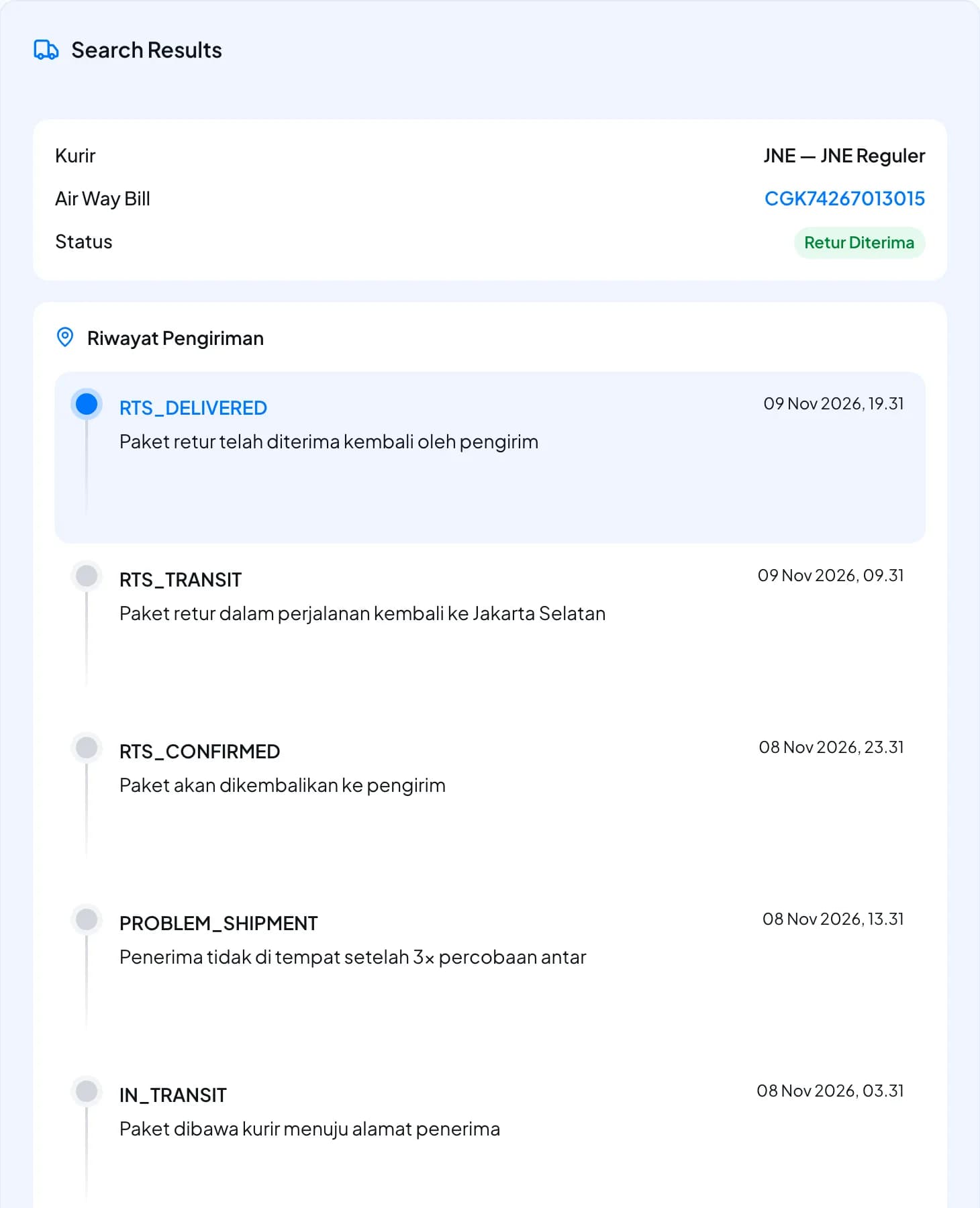
- Track Package shows the full status history of a shipment. See Track a shipment.
The usual journey
- Waiting for payment → you created the order but haven't paid yet.
- Confirmed → paid; the courier is being booked.
- Waiting for pickup or Waiting for drop-off → the courier is booked and the parcel hasn't left yet.
- In transit → the courier has the parcel.
- Delivered → done.
All statuses
| Status | What it means | What you do |
|---|---|---|
WAITING_FOR_PAYMENT | The order exists but isn't paid. | Pay the order. |
CONFIRMED | Paid. Fastrac is booking the courier. | Nothing. It moves on shortly. |
PENDING_PICKUP | Booked. The courier will pick the parcel up. For instant couriers this includes looking for and assigning a driver. | Have the parcel packed and ready at the pickup time. |
PENDING_DROPOFF | Booked. You need to bring the parcel to a courier counter. | Drop the parcel off and show the airway bill (resi). |
IN_TRANSIT | The courier has the parcel and is delivering it. | Nothing. Share tracking with your receiver. |
DELIVERED | The parcel reached the receiver. Final. | Nothing. |
PROBLEM_SHIPMENT | Something went wrong: for example, the parcel is lost or damaged, or an instant courier couldn't find a driver. | See Problem shipments and returns. |
CANCELLED | The shipment was cancelled. A paid shipment is refunded. | See Cancel and refunds. |
RTS_CONFIRMED | The delivery failed and the courier will return the parcel to the sender (return to sender, RTS). | Watch for a return fee. |
RTS_TRANSIT | The parcel is on its way back to the sender. | Be ready to receive it. |
RTS_PROBLEM_SHIPMENT | Something went wrong during the return. | Contact support with the shipment code. |
RTS_DELIVERED | The parcel is back with the sender. Final. | Check the parcel. |
Rules worth knowing
- A delivered or returned (
RTS_DELIVERED) shipment never changes status again. - Once a return starts, the shipment stays in the return statuses. It doesn't go back to normal delivery.
- If a pickup attempt fails and the courier will try again, the shipment stays waiting for pickup.
How statuses appear in the dashboard
The My Orders list groups statuses into a few labels. Order Detail shows a more specific badge (for example Problem), and the Riwayat Pengiriman history on Track Package shows the status codes from the table above.
| Status | Label in My Orders |
|---|---|
WAITING_FOR_PAYMENT | Not listed. The order waits on the Waiting for Payment tab of Express › Process Shipment. |
PENDING_PICKUP | Awaiting Pickup |
PENDING_DROPOFF | Awaiting Dropoff |
IN_TRANSIT, PROBLEM_SHIPMENT | In Delivery (Order Detail shows Problem for a problem shipment) |
DELIVERED | Completed |
CANCELLED | Cancelled |
RTS_CONFIRMED, RTS_TRANSIT, RTS_PROBLEM_SHIPMENT, RTS_DELIVERED | Return |
FAQ
The app may show a friendlier label. The codes in this table are the underlying status values; match them by meaning.
The order status only shows payment. Delivery progress lives on each shipment.
Couriers report changes to Fastrac, and Fastrac also checks with them regularly. Opening tracking asks the courier for the latest status.
Was this page helpful?